Choosing the right tablet for a child involves balancing fun with safety, educational value, and parental controls. The following selections are five kid-friendly tablets from well-known brands, each offering durable designs, kid-focused content, and practical features like screen-time controls and expandable storage. This guide highlights options suitable for ages roughly 3 to 9, with varying screen sizes to fit different needs and budgets.
Summary of Selected Products
| Product | Brand | Key Benefit | Screen Size |
|---|---|---|---|
| Amazon Fire 7 Kids Tablet (Newest Model) — Blue | Amazon | Ad-free content and Kids+ included | 7" |
| PEICHENG Kids Tablet 7 inch Android 12.0 | PEICHENG | Android 12 with parental controls | 7" |
| COLORROOM 2026 Android 15 Tablet — 10.1" Pink | COLORROOM | Android 15 with Google Kids Space | 10.1" |
| ICONLINK Kids Tablet 7 Inch — Pink | ICONLINK | Parental controls and preinstalled apps | 7" |
| Amazon Fire 7 Kids Tablet (Purple) | Amazon | 1-year Kids+ included and durable build | 7" |
Amazon Fire 7 Kids Tablet (Newest Model) — Blue

The Amazon Fire 7 Kids Tablet combines a kid-friendly design with access to a broad range of content and controls. The bundle includes a full-featured tablet designed for ages 3–7, a 6-month Amazon Kids+ subscription, and a durable case. A two-year worry-free guarantee offers replacement if the device breaks. The Kids+ service provides thousands of ad-free books, games, videos, and educational apps from trusted brands, with content suitable for STEM learning and language development. After the initial period, the subscription renews monthly if not canceled.
Amazon Fire 7 Kids Tablet — Purple
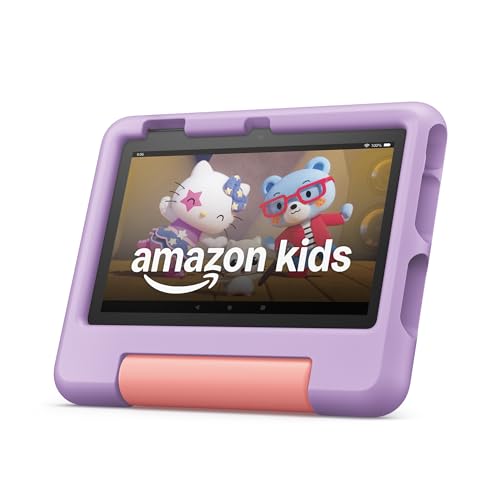
This model mirrors the Blue variant with an emphasis on safe, ad-free content via Amazon Kids+. It includes a 1-year Kids+ subscription and the same sturdy, kid-friendly build. The bundle supports a worry-free guarantee for two years and enables easy parental management through the Amazon Kids dashboard. After the introductory period, the subscription continues on a monthly basis, offering ongoing access to a curated library of educational and entertaining content aligned with widely recognized brands.
PEICHENG Kids Tablet 7 Inch — Android 12

The PEICHENG tablet brings Android 12 to a child-centric device, featuring a quad-core processor, 4GB RAM, and 32GB storage with microSD expansion up to 512GB. It supports Google Play access and Widevine L1 for streaming, with a front camera and dual speakers. A parental control suite enables screen-time limits, profiles, app management, and safety filters to help manage online activity. The device is designed for educational apps and family-friendly content, with a durable case suitable for toddlers and early elementary ages.
COLORROOM 2026 Android 15 Tablet — 10.1" Pink
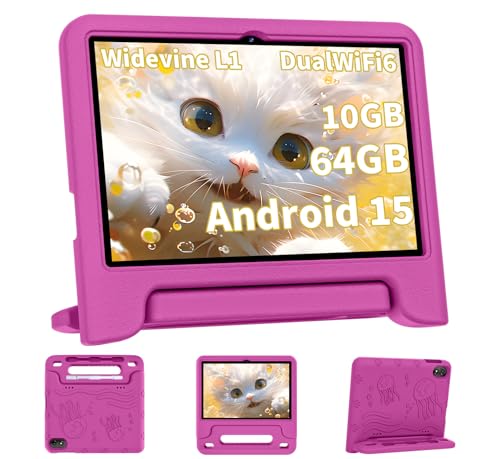
This COLORROOM model runs Android 15 on a robust octa-core platform with 10GB RAM (4GB+6GB) and 64GB storage, plus microSD expansion up to 1TB. It features a 10.1-inch anti-blue-light display and Google Kids Space with curated educational apps. Parental controls help filter content, regulate screen time, and set profiles for multiple children. The device targets a broad age range, offering a balance of entertainment and learning activities in a single tablet with a long-lasting battery and secure user environment.
ICONLINK Kids Tablet 7 Inch — Pink

The ICONLINK tablet provides a 7-inch display, Android 12, and 32GB storage (expandable via microSD), along with a GMS certification for access to Google Play. A child-friendly interface is complemented by parental controls for screen time, password protection, and separate profiles for multiple kids. Preinstalled kid-oriented apps including Netflix and YouTube help keep children engaged with age-appropriate content while parents manage access and safety settings.
Buying Guide: Key Considerations When Shopping For Kids Tablets
- Parental Controls: Look for robust controls that allow time limits, profile creation, app whitelisting/blacklisting, and web filtering. The ability to pause or limit access during homework or bedtime is valuable for balance and routine.
- Content Ecosystem: Some tablets include a curated subscription like Amazon Kids+, Google Kids Space, or preinstalled apps. Consider whether the included content aligns with your child’s interests and educational goals.
- Durability and Case Options: Kid-friendly devices often include rugged cases or bump-resistance features. A protective cover reduces damage from drops and spills common with younger users.
- Storage and Expandability: Internal storage plus microSD expansion allows for a growing library of apps, games, eBooks, and videos. Consider family sharing needs and whether cloud storage is important to you.
- Software and Updates: Android 12/15 and similar OS versions provide access to modern apps and security updates. Regular firmware updates help protect child safety and improve performance.
- Screen Size and Battery Life: 7-inch tablets are highly portable, while 10-inch models offer a larger viewing area for videos and learning apps. Battery life around 8–12 hours supports daily usage without frequent recharging.
- Content Safety and Licensing: Prefer tablets with ad-free options or family-friendly stores and parental dashboards. This reduces exposure to inappropriate ads and content.
- Price vs. Value: Bundles that include stands, cases, and a year of Kids+ services can offer greater value but verify ongoing costs after any included trial periods.
- Multi-User Support: If siblings will share one device, ensure multiple user profiles and separate parental controls for each child are supported.
- Education vs. Entertainment Balance: A mix of educational apps, storybooks, and creative tools helps maintain a healthy balance between learning and play.
Additional Notes on Selection
Across these options, the common strength is a child-safe environment paired with easy management for parents. For younger users, a smaller screen with strong parental controls and a curated content library tends to work best. For older children, models with Android 12/15 and more flexible app ecosystems enable a broader learning experience while still providing protective features.