Educational electronic toys blend play with foundational skills, helping children practice writing, reading, spelling, and basic technology literacy. The following selections emphasize hands-on interaction, engaging visuals, and age-appropriate challenges to keep kids motivated. Each product below links to Amazon for quick shopping, includes kid-friendly features, and supports diverse learning goals—from handwriting to early coding concepts. Use this guide to compare how each option aligns with a child’s current abilities and developmental milestones.
Product Snapshot
| Product | Brand | Key Focus | Typical Age |
|---|---|---|---|
| Mr Pencil’s Scribble Write and Read | LeapFrog | Letter tracing, name writing, animated transformations | 3–6 |
| Write and Learn Creative Center | VTech | Magnetic drawing, stroke order, name practice | 3–5 |
| LeapPad Academy Kids’ Tablet | LeapFrog | Educational apps, guided learning paths | 3–8 |
| Speak & Spell (Retro Edition) | PlayMonster | Spelling, word games, multiple modes | 7–12 |
| LeapTop Touch 2-in-1 | LeapFrog | Keyboard-to-tablet, name spelling, early coding | 3–6 |
Mr Pencil’s Scribble Write and Read

LeapFrog’s Mr Pencil guides early writers through uppercase and lowercase letter formation with step-by-step tracing. The toy then animates letters into animals and other objects, reinforcing letter recognition through engaging visuals. Children can trace numbers along dotted lines, watching numbers transform into countable items, which supports early math concepts. A customization option lets caregivers enter a child’s full name for personalized practice, aligning with name recognition goals and handwriting confidence. This blend of motor practice and playful storytelling makes handwriting less intimidating and more rewarding.
Write and Learn Creative Center
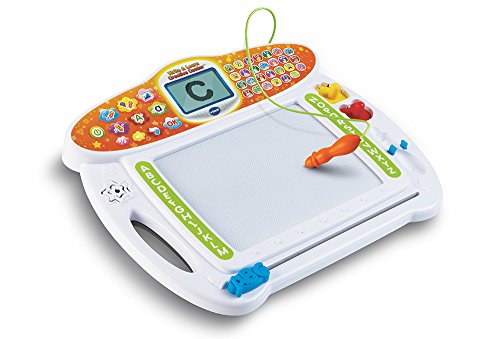
VTech’s magnetic drawing board supports pre-writing and early writing skills with animated demonstrations that teach proper stroke order for both uppercase and lowercase letters. The Doodler feature allows kids to personalize the center with their own name, reinforcing name recognition and writing practice. The interactive approach keeps toddlers and preschoolers engaged while building letter formation confidence. Easy-to-clean surfaces and portable design make it suitable for travel and small-space play, encouraging frequent practice without pressure.
LeapPad Academy Kids’ Learning Tablet

LeapFrog’s LeapPad Academy is a child-friendly Android-based tablet preloaded with 20 educational apps and creativity tools crafted by learning experts. The LeapSearch kid-friendly browser helps children discover age-appropriate websites and videos, expanding the learning ecosystem beyond printed materials. A free three-month trial of LeapFrog Academy provides structured progressive lessons, guiding learners through increasingly challenging topics. The device combines screen time with guided, standards-aligned content, offering a safe, interactive portal for reading, math, science, and critical thinking activities that fit into home routines.
Speak & Spell Electronic Game

This retro-style Speak & Spell offers five play modes—Spell, Mystery, Say It, Secret Code, and Letter—providing varied pathways to build spelling and decoding skills. The multiple challenge levels let learners progress as their vocabulary grows, making it suitable for a range of ages and ability levels. The familiar 1980s-inspired interface combines nostalgia with modern educational tools, encouraging consistent practice in phonics, word recognition, and memory recall through interactive play that appeals to both kids and parents seeking value through enduring design.
Speak & Spell (Basic Fun)

Another entry in the Speak & Spell family, Basic Fun’s version emphasizes classic gameplay while offering intuitive word-based challenges. With the same core modes and scalable difficulty, this variant supports incremental spelling proficiency and auditory discrimination. The familiar design helps children connect with phonics rules, while the toy’s portability invites practice across environments—home, car rides, or school, reinforcing consistency in literacy development.
LeapFrog Learning Friends 100 Words Book
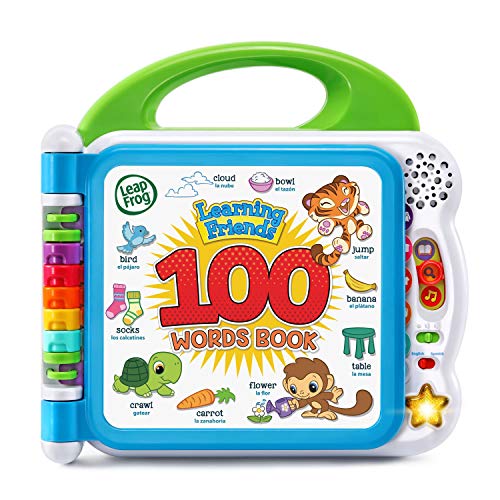
The LeapFrog Learning Friends 100 Words Book combines storytelling with interactive word building. Children can explore vocabulary across themes like animals, colors, and food through touch-and-learn pages that respond with sounds and music. While primarily a reading and vocabulary tool, it also supports early comprehension and auditory processing, making it a strong companion for families focusing on language development in the early years.
LeapTop Touch and Related Models

LeapFrog’s LeapTop Touch combines a traditional keyboard with a tablet-like touch experience. This 2-in-1 design enables preschoolers to explore letters, numbers, and simple words while role-playing activities such as emailing Scout. The device can be customized to help a child spell their own name, reinforcing personalized learning. The convertible format supports evolving literacy and early typing skills, offering a bridge between tactile letter practice and digital literacy that aligns with classroom readiness standards.
Buying Guide: Key Purchase Considerations
- Age and skill level: Choose toys that match a child’s current abilities and offer gentle progression to more challenging tasks.
- Core literacy focus: If handwriting is a priority, prioritize products emphasizing tracing and letter formation. For vocabulary, consider books and tablets with interactive word features.
- Motor and cognitive development: Select tools that blend fine motor activities (tracing, tapping) with cognitive tasks (spelling, sequencing) to support multiple developmental domains.
- Durability and safety: Look for sturdy construction, non-toxic materials, and simple cleaning options appropriate for toddlers and preschoolers.
- Digital versus non-digital balance: Balance screen time with hands-on play. Some products offer offline tracing and writing activities alongside digital apps for a well-rounded approach.
- Customization features: Personalization (name writing, user profiles) can boost engagement and motivation to practice repeatedly.
- Future learning pathways: Consider devices that provide ongoing content or expandable apps to grow with the child’s learning journey, rather than single-purpose toys.
- Parental controls and safety: Ensure devices have appropriate parental controls, age-appropriate content, and offline options when needed.
These selections offer a spectrum of educational experiences—from handwriting and spelling to early reading and digital literacy. When choosing, align the toy’s strengths with the child’s learning goals, attention span, and interests to maximize educational value and sustained engagement.